All features Invoicing
Smart invoicing, connected

From line item to paid invoice.

Create GST or non-GST invoices, calculate the true payable amount, give customers a secure place to act, and keep the seller’s sales, payments and books connected.

GST and non-GSTPDF-ready outputPayment-aware balance
subcidys.com/client/invoices
Subcidys seller invoice dashboard
Choose the right invoice mode

GST when it applies. A clean invoice when it does not.

Set a default in invoice settings and override the mode on an individual invoice when the transaction requires it.

GST Tax Invoice

Tax-ready billing detail

Use organisation and customer GST details with item-level HSN/SAC and GST rates. Inclusive and exclusive pricing both produce taxable value, tax and invoice totals.

  • Seller and buyer GSTIN context
  • HSN/SAC per item
  • Item-level GST rate
  • Taxable and GST breakup

Non-GST Invoice

Simple commercial billing

Issue a standard invoice without applying GST. Customer, dates, line items, discounts, charges, notes, terms and payment tracking remain available.

  • No GST charged
  • Goods or service lines
  • Discounts and charges
  • PDF and payment status

Invoice mode should reflect the transaction and your tax position. Review GST classification and statutory requirements with your authorised tax professional where necessary.

How smart invoicing works

A controlled path from seller setup to collection.

Each stage feeds the next, so customer, product, tax and payment context do not need to be rebuilt.

STEP 01

Set the seller identity

Use the organisation profile, registered address, GSTIN and saved invoice preferences.

STEP 02

Choose the customer

Select an existing customer, add one during billing, or use a connected organisation.

STEP 03

Add goods or services

Bring in products, descriptions, quantity, unit, price, HSN/SAC and available serial details.

STEP 04

Apply pricing and tax

Choose GST or non-GST, inclusive or exclusive pricing, discounts, charges and TDS where applicable.

STEP 05

Review and issue

Confirm dates, totals, notes and terms, then save the invoice and generate its customer-ready view.

STEP 06

Collect and reconcile

Track paid, partial and outstanding value through the customer, payment and accounting workflows.

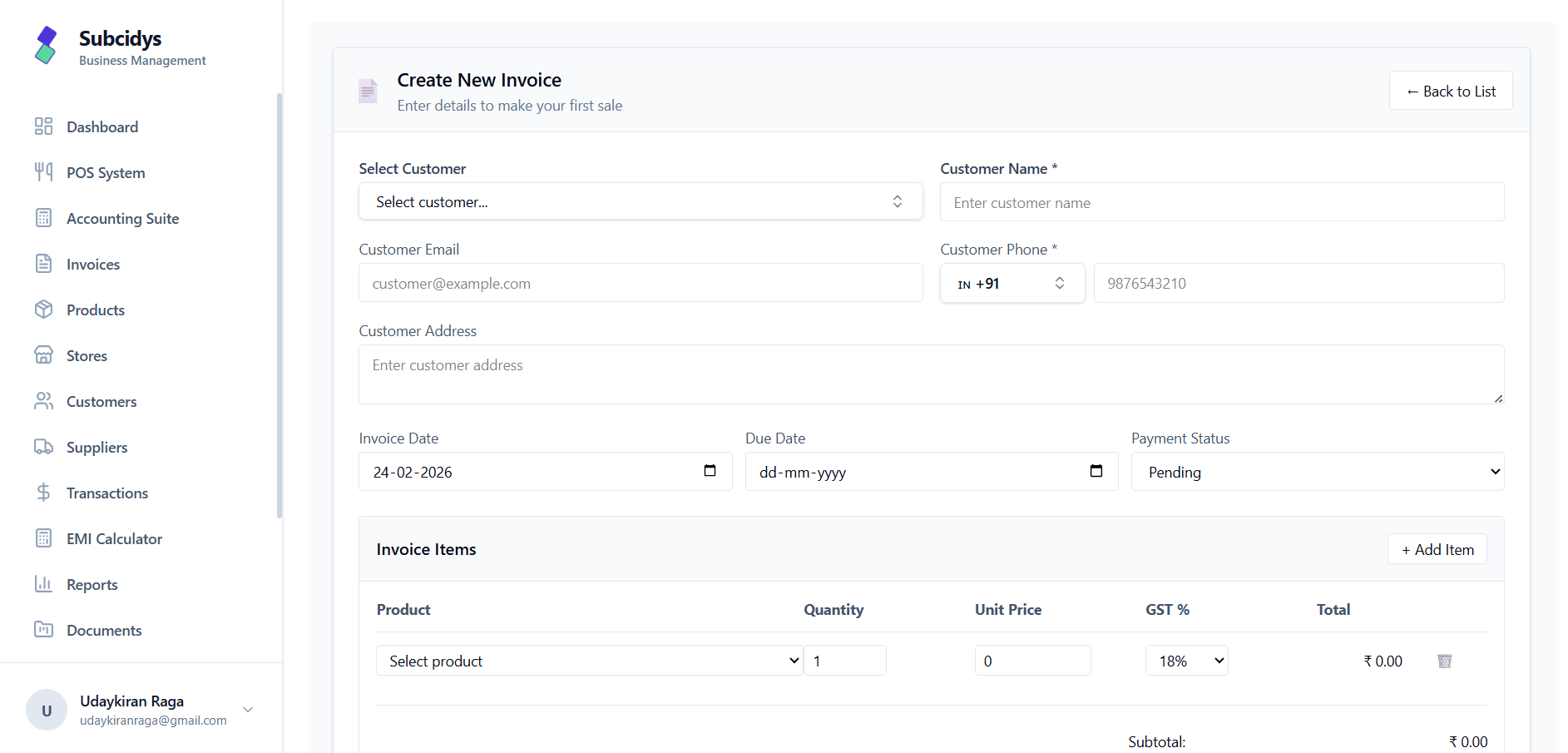
Create and calculate

Build the invoice with the real numbers visible.

The guided editor keeps party, dates, items and totals on one screen. Product pricing carries its saved tax treatment while the invoice can still use the appropriate GST mode.

Customer search or quick add
Product search and item rows
Inclusive or exclusive GST
Discount, TDS and balance
subcidys.com/client/invoices/create
Subcidys create invoice workspace
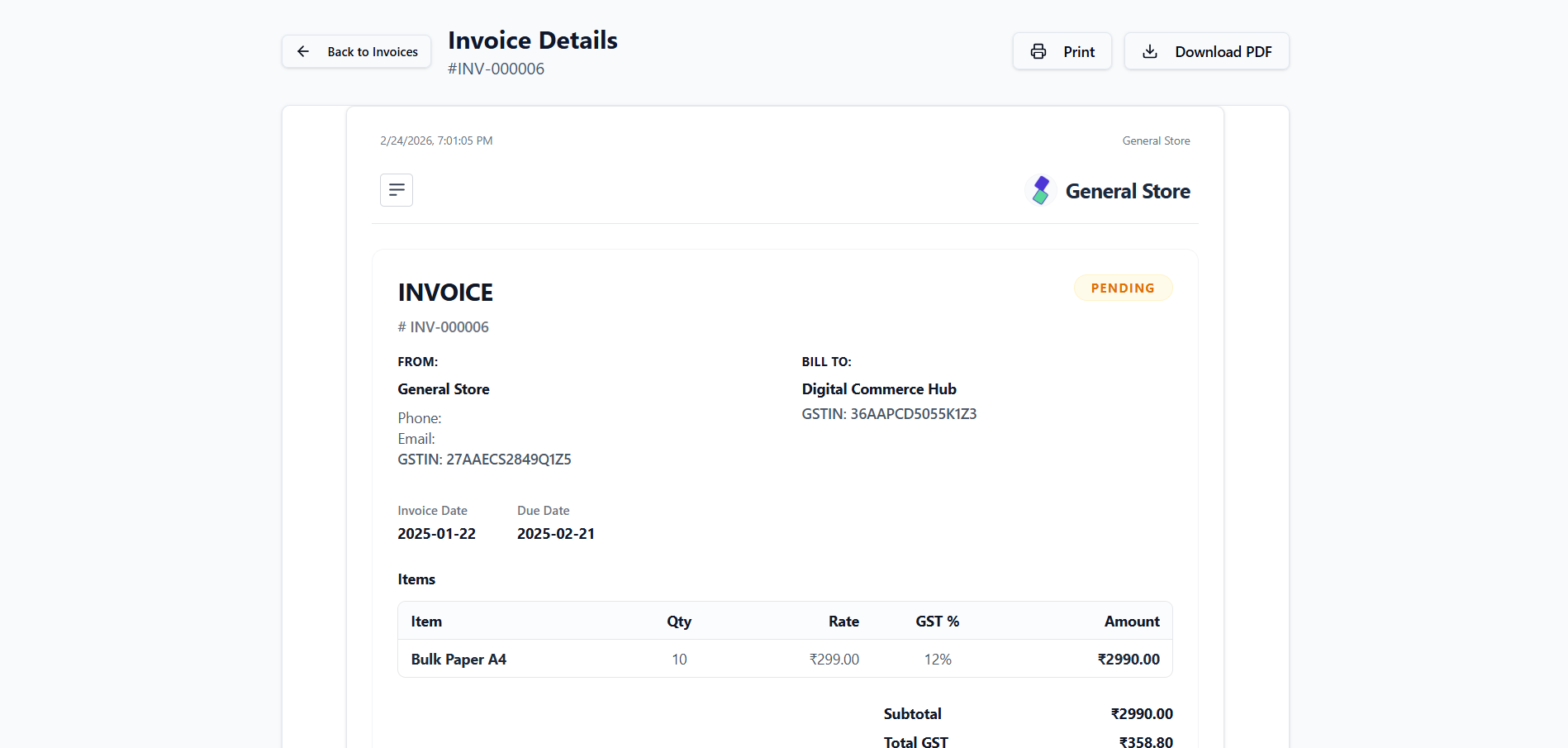
Review and deliver

A customer-ready invoice with the audit detail intact.

The formatted invoice keeps seller and buyer identity, line-level values, GST details when applicable, totals, terms and current payment status together.

Seller and Bill To sections
Item, quantity and value detail
GST and totals breakdown
Print and PDF output
subcidys.com/client/invoices/INV-184
Subcidys formatted invoice view
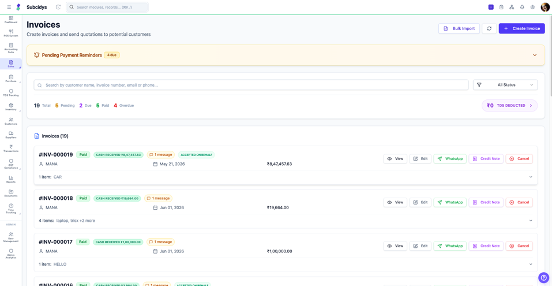
Manage the book

Search, filter and act from the seller account.

The seller workspace keeps the invoice list and outstanding position visible, with direct access to create, edit, view and related sales actions.

Search by customer or invoice
Filter by payment state
Bulk invoice import
TDS and outstanding visibility
subcidys.com/client/invoices
Subcidys invoice management dashboard
Customer and seller, connected

Issue in the seller account. Act in the customer portal.

The seller controls the source invoice and sees its financial state. The customer uses a separate OTP-authenticated portal to view their documents and available invoice actions.

Seller account

Create, edit, issue, download, monitor and reconcile invoices.

Customer portal

View invoices and PDFs, respond to invoice requests and access eligible payment options.

Shared result

Customer activity and verified payment status return to the invoice workflow.

Customer portal

Invoice INV-2026-184

PAYMENT DUE

Invoice total

₹59,000

Remaining

₹29,500

OTP-authenticated access
View invoice and PDF
Accept or request date change
Pay eligible outstanding value
Review invoice and payment options
Smart totals

The payable amount explains itself.

Pricing decisions stay visible instead of disappearing inside one final number.

GST included or excluded

Extract tax from an inclusive price or add it above the taxable value, item by item.

Flexible discounts

Apply line discounts and keep pre-GST and post-GST adjustments visible in the total.

TDS and net payable

Show the deduction separately and calculate the amount that remains payable.

Partial receipts

Record money received, recalculate the outstanding balance and keep the payment state current.

Cash-sale handling

Treat an identified cash customer as paid at the counter with no remaining balance.

Additional charges

Keep configured charges, notes and terms attached to the invoice calculation and output.

Invoice lifecycle

Know what has been issued, received and left outstanding.

Draft

Saved for completion

Pending

Issued and awaiting action

Due

Payment date is approaching

Partial

Some value has been received

Overdue

Outstanding after the due date

Paid

Net payable has been settled

Beyond the invoice

One document feeds the wider business flow.

Invoices connect the commercial event to customer history, stock movement, receipt tracking, accounting and GST review.

Inventory context

Products, quantities and available serial detail stay tied to the sale.

Accounting context

Receipts, outstanding value and sales entries remain connected.

GST context

Taxable values and GST amounts feed period-wise compliance review.

Sales history

Invoices remain searchable alongside related customer activity.

Fast item entry

Product lookup, barcode paths and saved product tax treatment speed line entry.

Retainable output

Generate a formatted invoice for download, print and customer review.

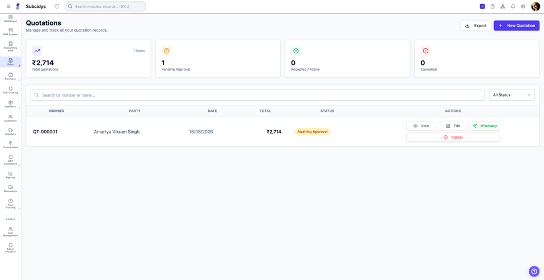
subcidys.com/client/quotations
Subcidys quotation workspace
Before the invoice

Start with a quotation when the sale still needs agreement.

Prepare an itemised quotation, keep the customer response visible, and continue the sales workflow when the commercial terms are accepted.

  • Customer-ready item and value detail
  • Accept or decline response flow
  • Connected path into the sales lifecycle

Create the right invoice. Keep every next step connected.

Move from seller setup and tax calculation to customer action, payment tracking and accounting visibility.

GST applicability, classification and invoice requirements depend on the transaction and applicable law. Review final treatment where professional advice is required.

Your Privacy Matters

We use cookies to keep things running smoothly, remember your preferences, and understand how you use Subcidys. You’re in control. Learn more