
Step 01
Create or import
Add a product manually or import a CSV catalogue with stock and tax fields.
Run one connected product catalogue for pricing, GST classification, available stock, batches, serials, scanning and reorder attention.
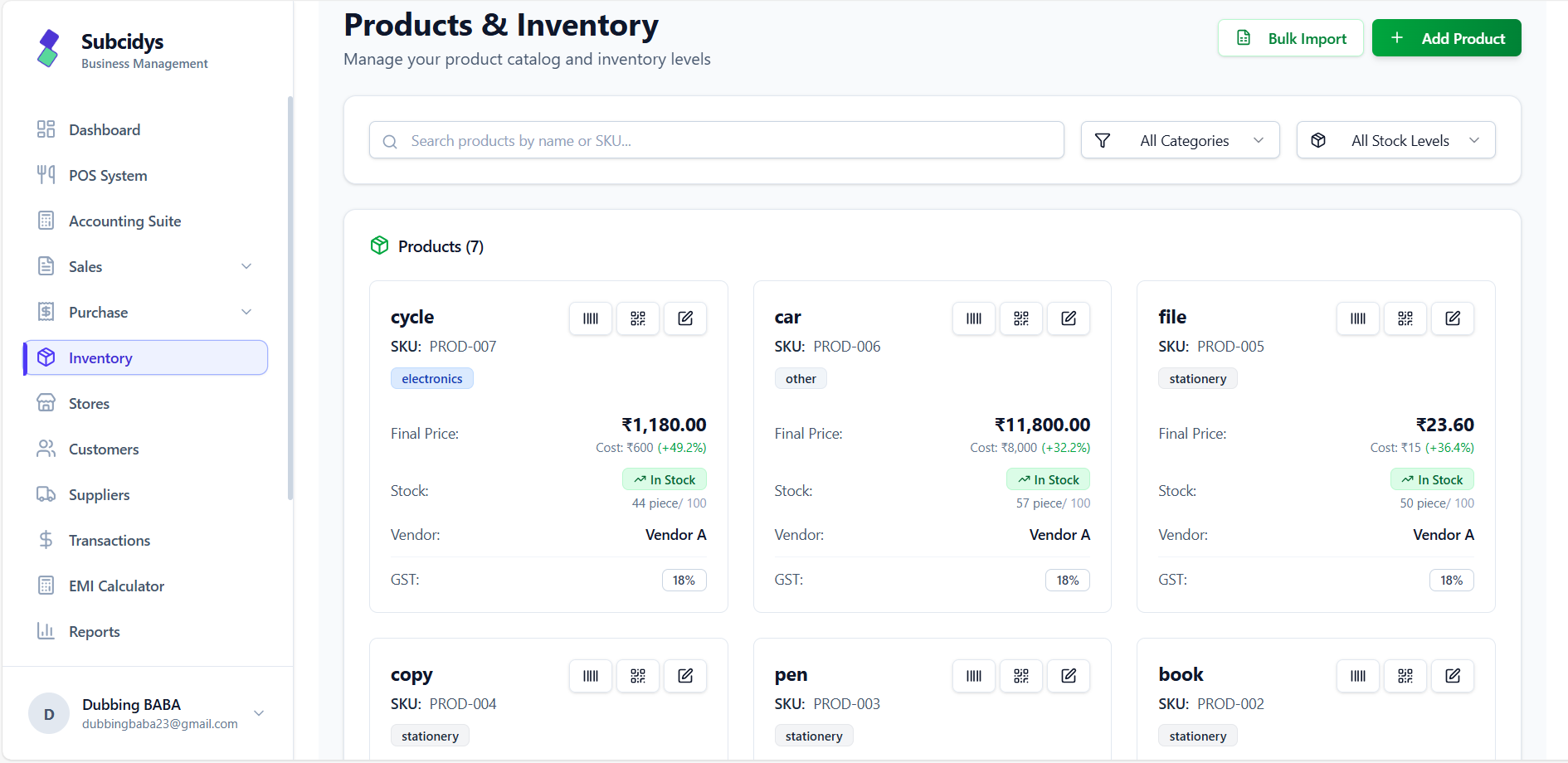
Live stock
Available quantity stays visible
Reorder attention
3 products below minimum
GST-ready catalogue
HSN/SAC and tax rules connected
For an active physical product with quantity management enabled, Subcidys compares current stock with its configured minimum. When stock is at or below that level, the item appears in the Inventory alert panel.
Current stock ≤ minimum stock marks the product low.
The Inventory page shows product, SKU, current stock and minimum level.
Send a reminder immediately or enable a scheduled summary at the chosen time.
3 products need attention
Wireless Mouse
WLESS-MSE-BLK · Stock 0 · Min 10
Thermal Flask
SS-FLASK-500 · Stock 12 · Min 20
Ceramic Tea Set
CER-TEA-12 · Stock 8 · Min 10
Email summary
Active organisation users
WhatsApp alert
Registered organisation number
Every stage stays connected to the same product identity, GST rules and stock position.
Step 01
Add a product manually or import a CSV catalogue with stock and tax fields.
Step 02
Record quantity, batches, purchase dates, costs, expiry and serials where required.
Step 03
Invoices and POS use available stock—physical stock less reserved quantity.
Step 04
Search and filter products, then review in-stock, low-stock and out-of-stock states.
Step 05
Use the Inventory alert panel to send a reminder now or schedule recurring summaries.
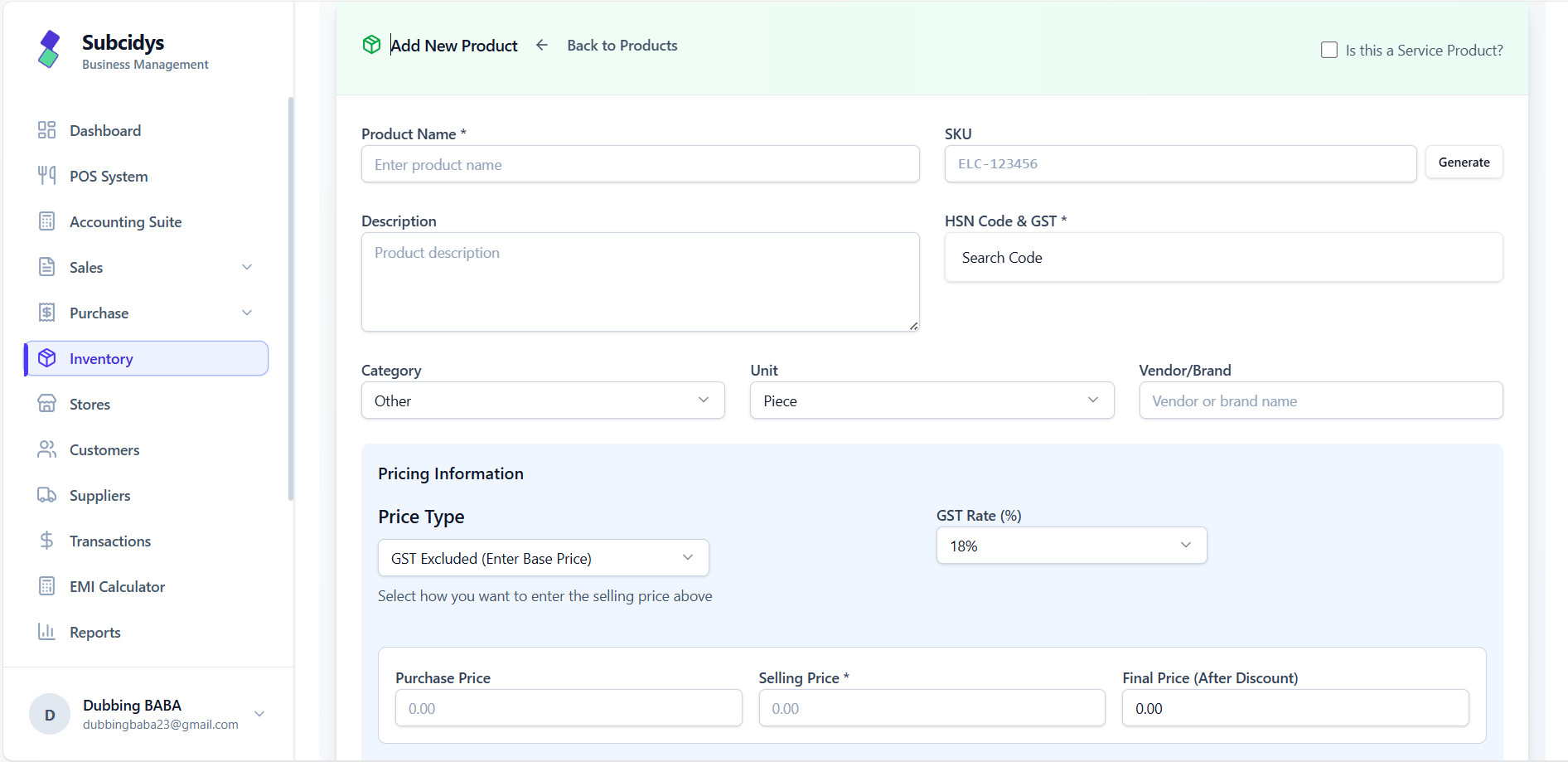
The product record connects pricing, GST classification, scanning and inventory behaviour.
Name, description, category, SKU and brand or vendor context.
Opening stock, minimum alert level, maximum level, unit and quantity management.
HSN/SAC, GST rate, inclusive or exclusive pricing, cost, selling price and discount.
Standard quantity tracking or batch-led stock with optional serial numbers and expiry dates.
Generate printable codes from the product workspace. Barcodes connect to the SKU for billing lookup, while QR provides a scannable product identity.
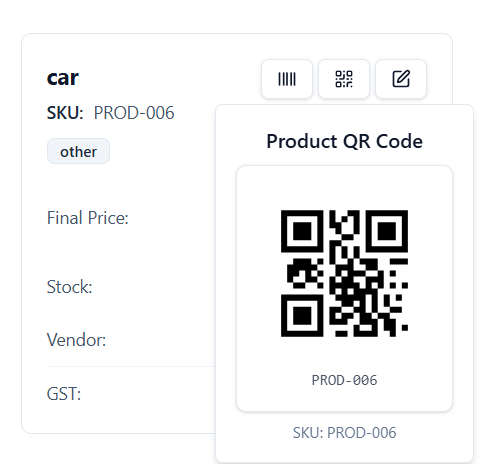
Generate, download or print from the product record.
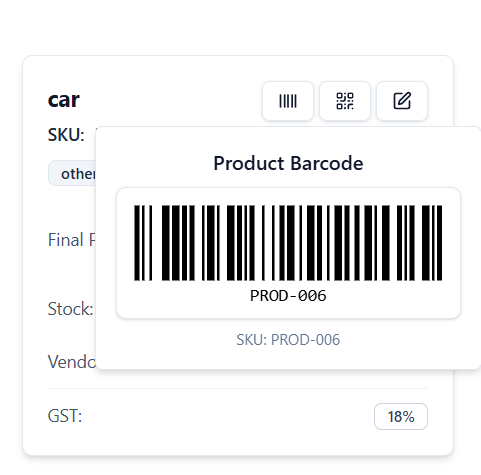
Use the product SKU through a compatible scanner at invoice or POS entry.
Find by product name or SKU, then narrow by category or stock state.
Download the template, preview rows and import product, pricing, stock and GST fields.
Generate a QR code for a product identity and print it for scanning workflows.
Generate and print a standard barcode that can be scanned during billing.
Track batch number, quantity, dates, cost, MRP, selling price and optional serials.
Filter batches by expired, not expired, expiring soon or low-stock state.
Live
Stock position
Min
Per-product threshold
Email + WA
Restock reminders
QR + Bar
Product lookup
Connect product setup, GST detail, batch tracking, scanning, sales availability and low-stock reminders in one Inventory workspace.
We use cookies to keep things running smoothly, remember your preferences, and understand how you use Subcidys. You’re in control. Learn more